
How to see who doesn't follow you back on Instagram
Instagram shows you who you follow and who follows you, but it never puts the two side by side. If you want to know who doesn’t follow you back, you have to build that comparison yourself. Here are three ways to do it, from slowest to fastest.
Why the list isn’t a hit list
Before you start, a reminder: not following back isn’t always rude. Brands, celebrities, news accounts and most creators follow far fewer people than follow them. You probably follow plenty of accounts that will never follow you back, and that’s fine. The list is useful because it shows you who to look at. What you do next is up to you.
Method 1: check profiles by hand
Open your Following list and tap into profiles one at a time. If the person follows you, their profile says so, and the button reads Following with a message option. This works for a few dozen accounts. At a few hundred it stops being practical, and you will lose your place.
Method 2: compare the two lists yourself
Instagram lets you download your own followers and following lists. Put them next to each other, and anyone who appears in following but not in followers doesn’t follow you back. A spreadsheet can do this with a lookup formula. It’s accurate, but fiddly, and you’ll have to repeat it every time you want fresh numbers.
Method 3: use a tool that reads your export
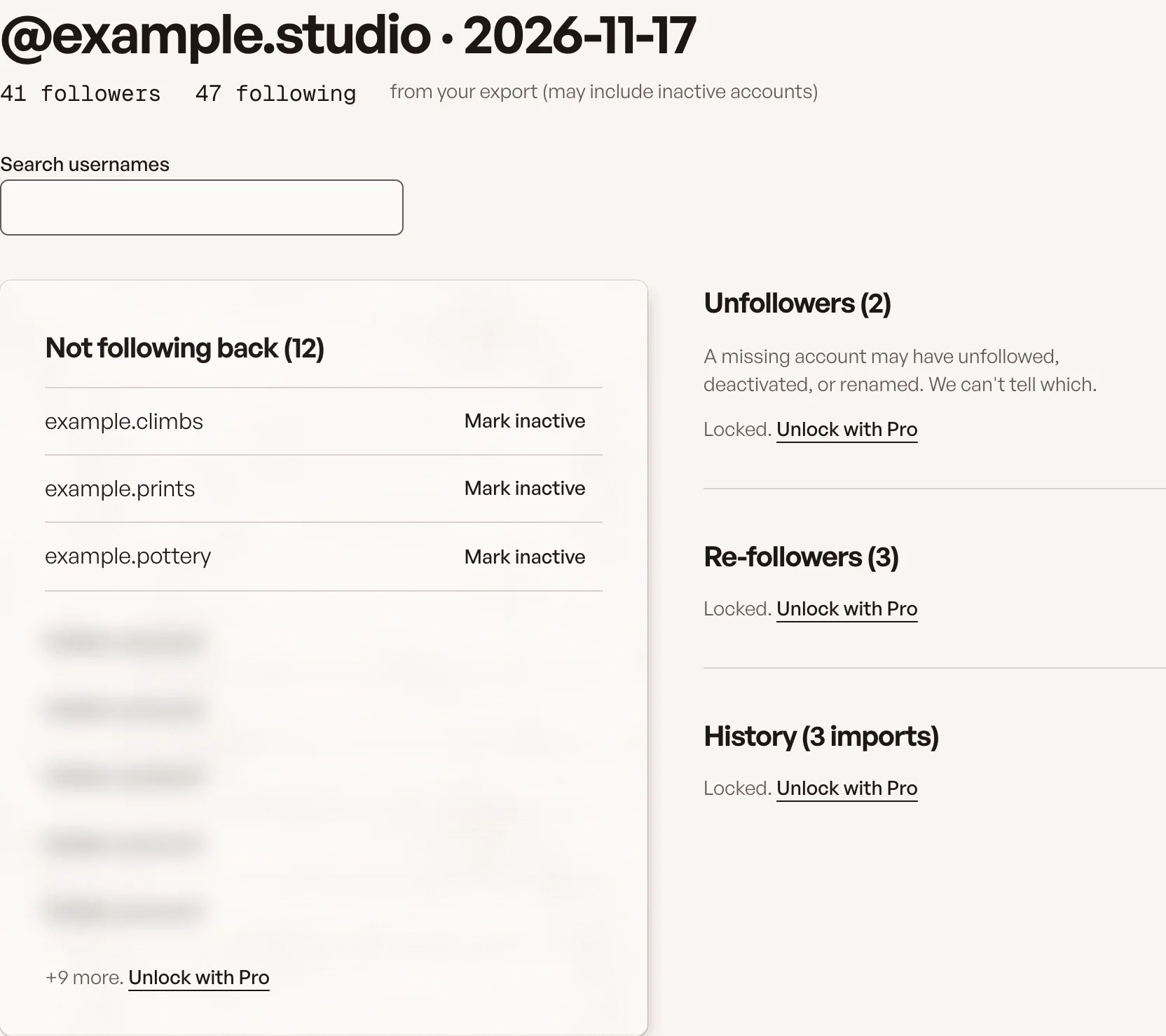
This is what Unfollowly does. You upload the zip file Instagram gives you, and the app compares the lists inside your browser. It then shows you who doesn’t follow back, who unfollowed you since your last export, and who came back. There’s no Instagram login, and the lists themselves never leave your device. Here’s what the results screen looks like, with sample accounts:
Our guide to Instagram’s data export walks through getting the file.
What to do with the result
- Sort before you act. Skip accounts you follow on purpose: friends you’d rather keep, brands, inspiration.
- Look at who’s left. Old accounts, giveaway follows and people you no longer talk to are the usual candidates.
- Go slowly. Unfollowing hundreds of accounts in one sitting can trip Instagram’s rate limits. Read why bulk unfollowing is risky first.
FAQ
Can Instagram tell me this directly? Not as a single list. Each profile shows whether that person follows you, but there’s no “not following back” screen.
Will they know I checked? No. Looking at lists, or reading your own export, sends no notification to anyone.
How often should I check? Once a month is plenty for most people. Fresh exports are the only way to see new unfollowers, because Instagram doesn’t keep a public history of them.