
How Instagram's data export works, and what's inside it
Instagram has to give you a copy of your own data, and it does, through a tool called Download your information. It’s the official way to get your follower and following lists, which makes it the safest starting point for any follower tracking. No password sharing, no third-party login.
What the export contains
Depending on what you select, the zip can hold your posts, stories, messages, comments, likes, account settings and your followers and following lists. You don’t need most of that. For tracking who follows you back, the connections files are the only part that matters.
How to request it
Menu labels shift between app versions, so look for the same words rather than an exact path. On a phone:
-
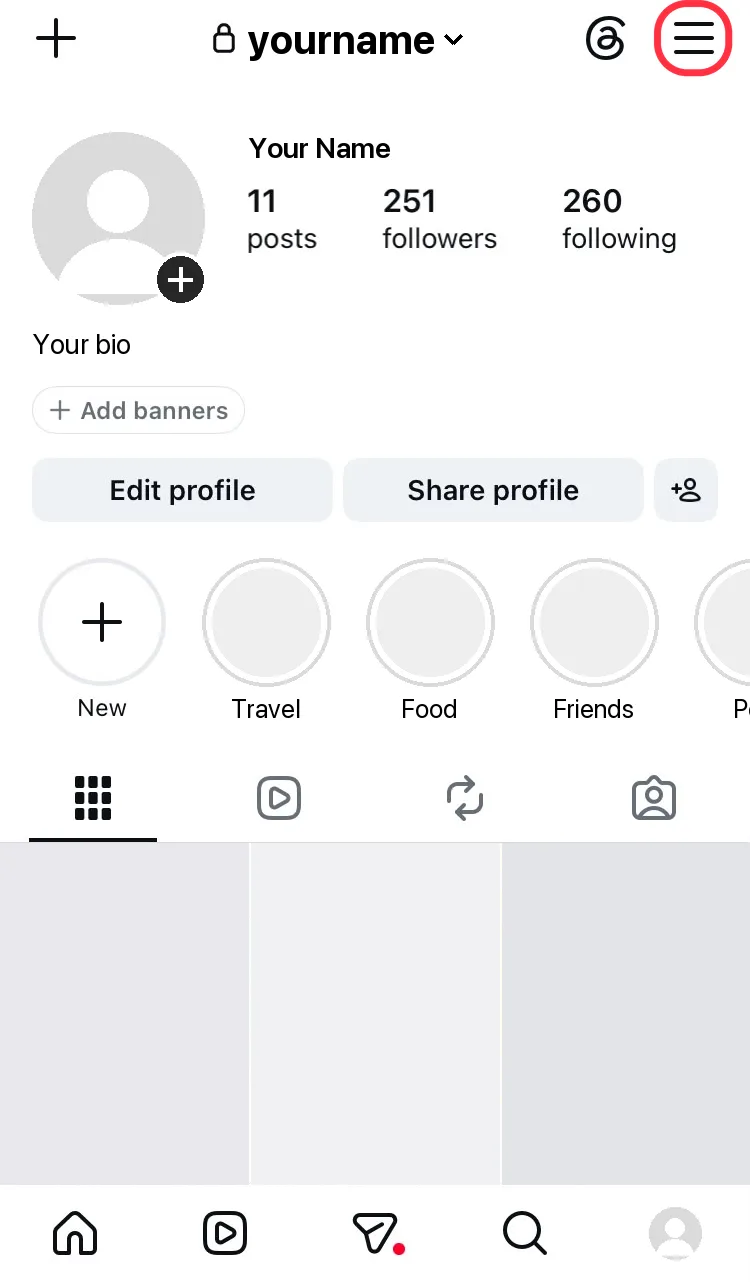
Open your profile and tap the ☰ menu at the top right.
-
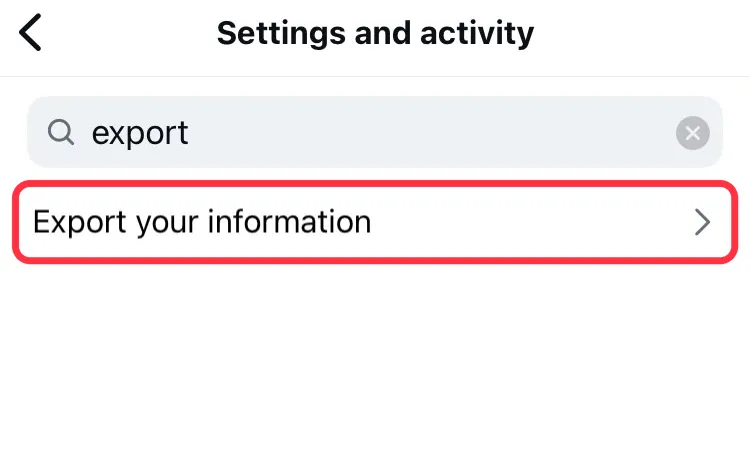
In Settings and activity, search for export and tap Export your information.
-
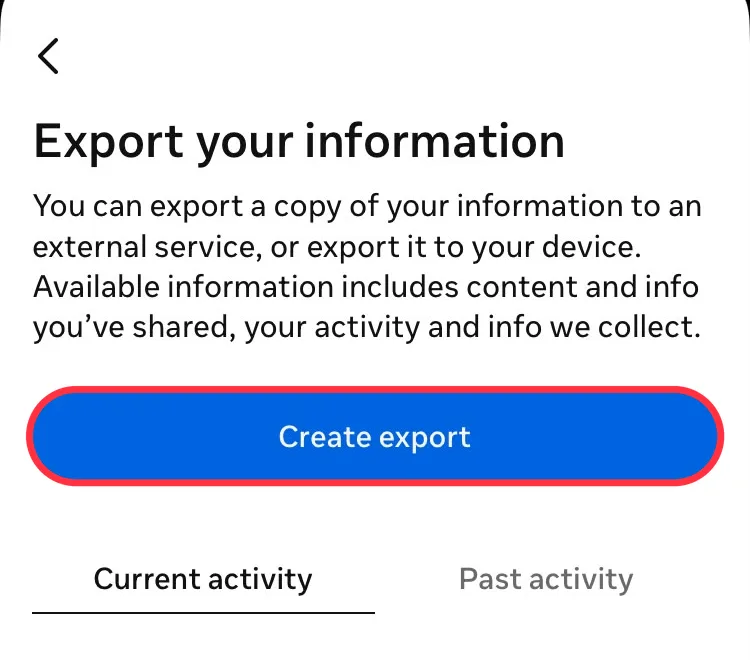
Tap Create export, pick your Instagram account, then choose Export to device.
-
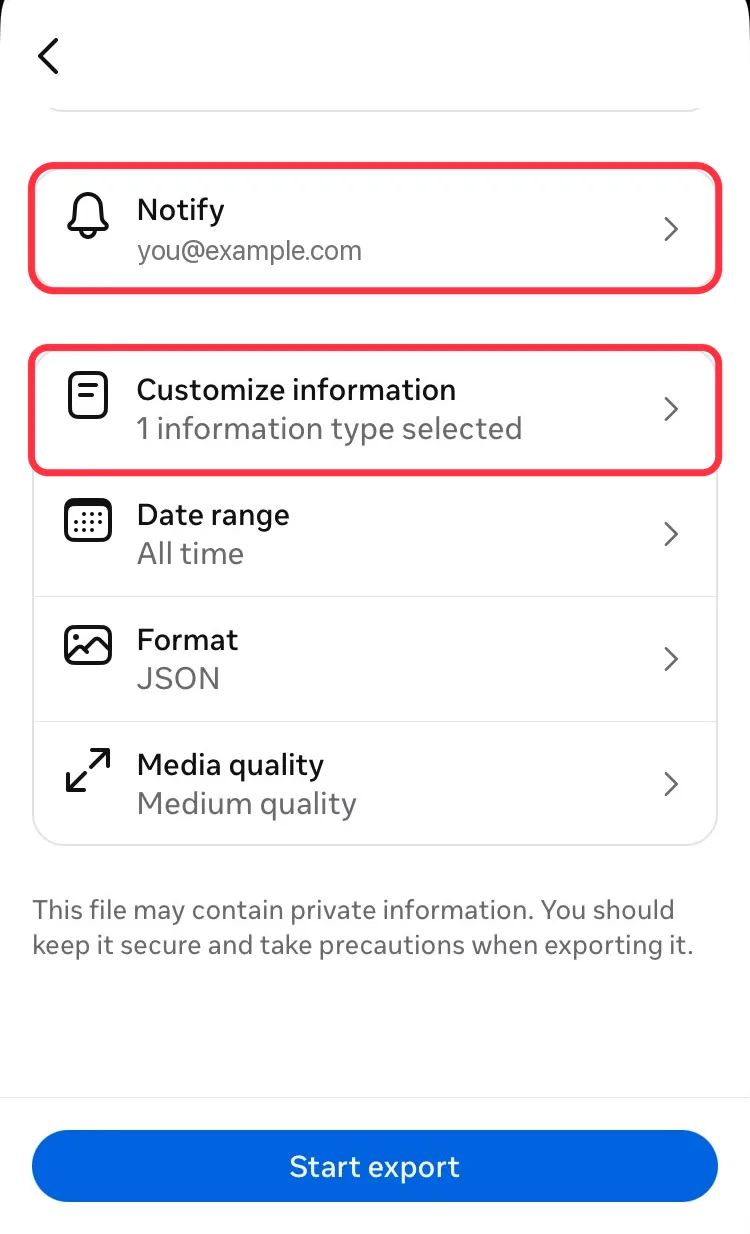
Under Notify, enter the email Instagram should send the link to, then tap Customize information.
-
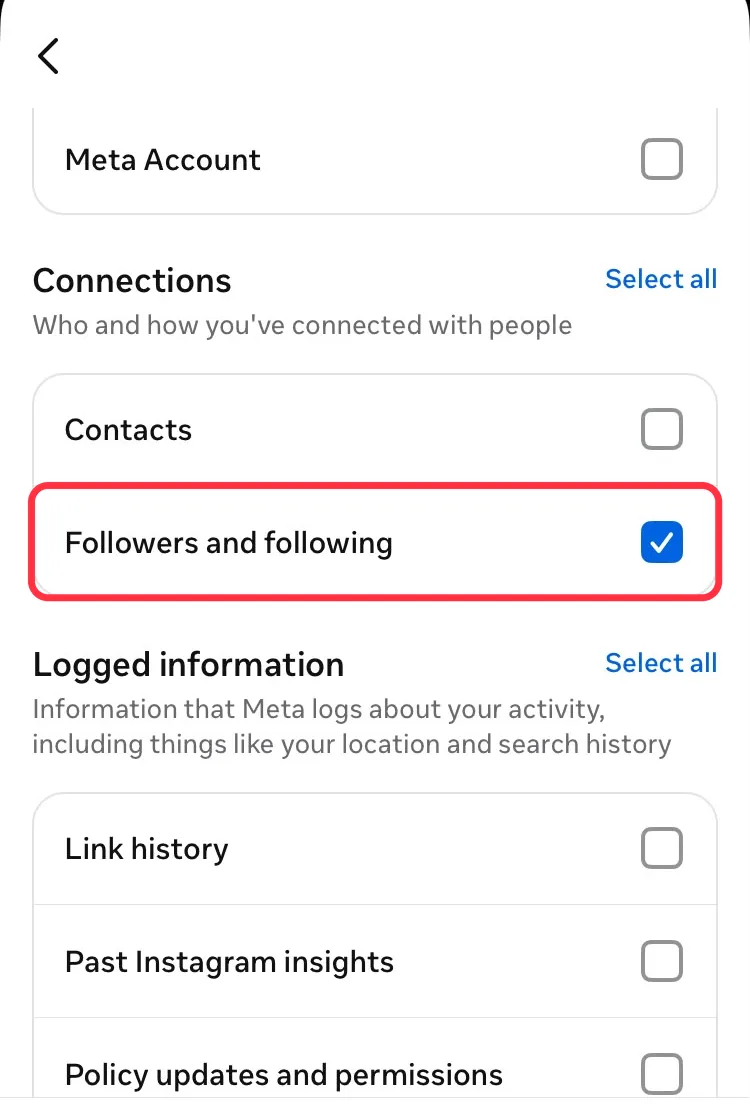
Tick only Followers and following, then save.
-
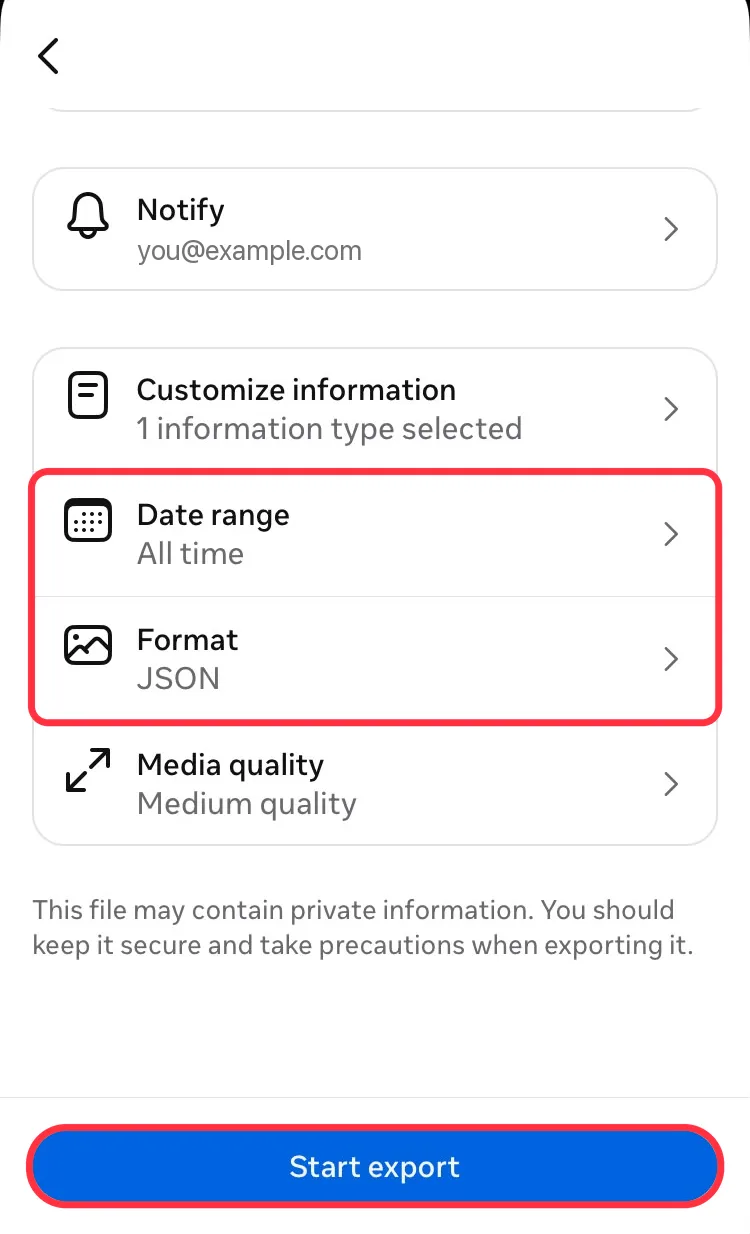
Set Date range to All time and Format to JSON, then tap Start export.
On a computer, open Download your information in Accounts Center and follow the same choices.
Picking only the connections you need keeps the file small and the wait short. If you pick everything, the export can be large and slow to prepare.
How long it takes
Instagram prepares the file in the background and tells you when it’s ready, by email and in the app. A small export is often ready within minutes, but a big one can take hours or longer. The download link doesn’t last forever, so grab the file soon after you’re notified.
JSON or HTML?
Both hold the same information. HTML opens like a web page and is easy to read. JSON is built for programs, so it’s the right pick for tools and for your own spreadsheets. If you plan to use Unfollowly, choose JSON. We read HTML exports too, but JSON is the most reliable.
What to do with the zip
- Don’t unzip it if you’re uploading it to a tool that reads zips. Upload it as it is.
- Treat it as private. It contains the names of everyone you follow and everyone who follows you. Keep it somewhere you trust and delete it when you’re done.
- Ask where the data goes. A tool should say clearly whether your lists are uploaded to a server. In Unfollowly they aren’t: the comparison runs in your browser.
FAQ
My export is missing people. Check that the date range was All time. A shorter range cuts off older connections.
I got more than one zip. Large exports are split. Upload each one, or request a smaller export with just followers and following.
Can I request another one later? Yes. A new export is how you see changes since the last one.